Searching for a Syslog Message Line
You can search for a specific line in the syslog. When you search for a line, Syslog Viewer automatically scrolls to the line and highlights it so that you can easily identify the line.
The first line in the Syslog is 0.
| ➢ | To search for a line: |
| 1. | From the Edit menu, choose Go To Line; the following dialog box appears: |
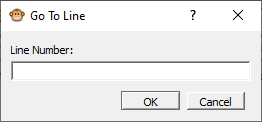
| 2. | In the 'Line Number' field, enter the line that you want to search for. |
| 3. | Click OK. |